CA Certificates
Configure custom CA certificates to trust internal or corporate certificate authorities.
Adding Certificates
- Go to Settings → Server Settings → CA Certificates
- Click Add Certificate
- Enter a name (e.g., "Corporate Root CA")
- Paste the certificate content in PEM format, or click Import from file
- Click Save
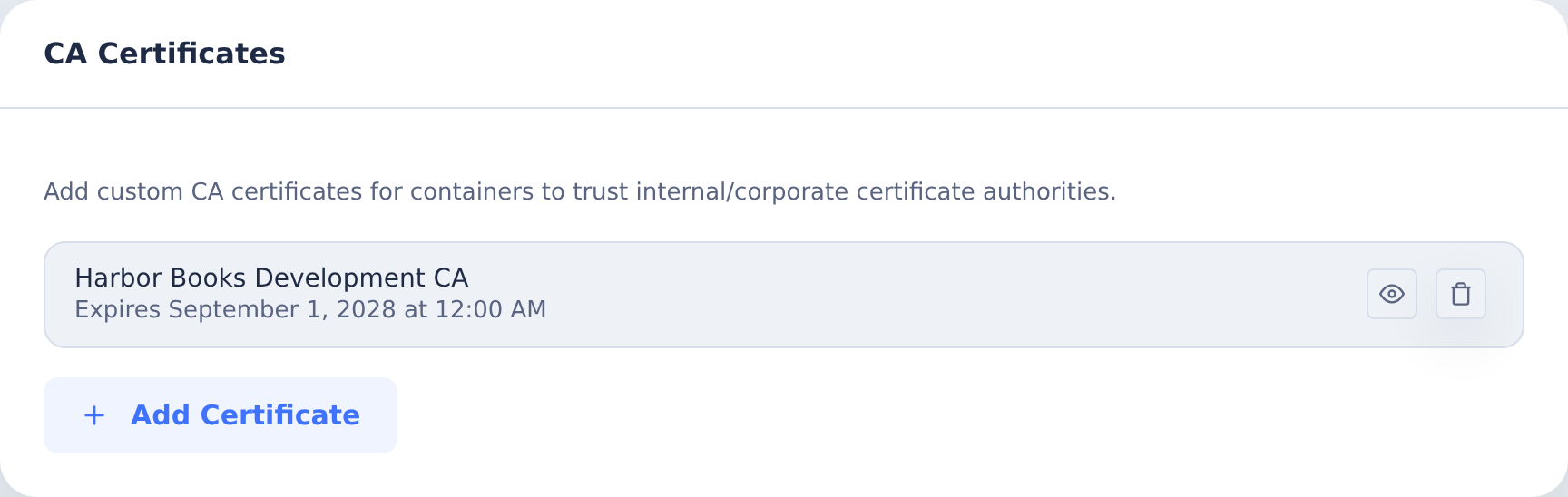
Certificates must be in PEM format:
-----BEGIN CERTIFICATE-----
MIIDxTCCAq2gAwIBAgIQAqxcJmoLQJuPC3ny...
-----END CERTIFICATE-----
Viewing Certificate Details
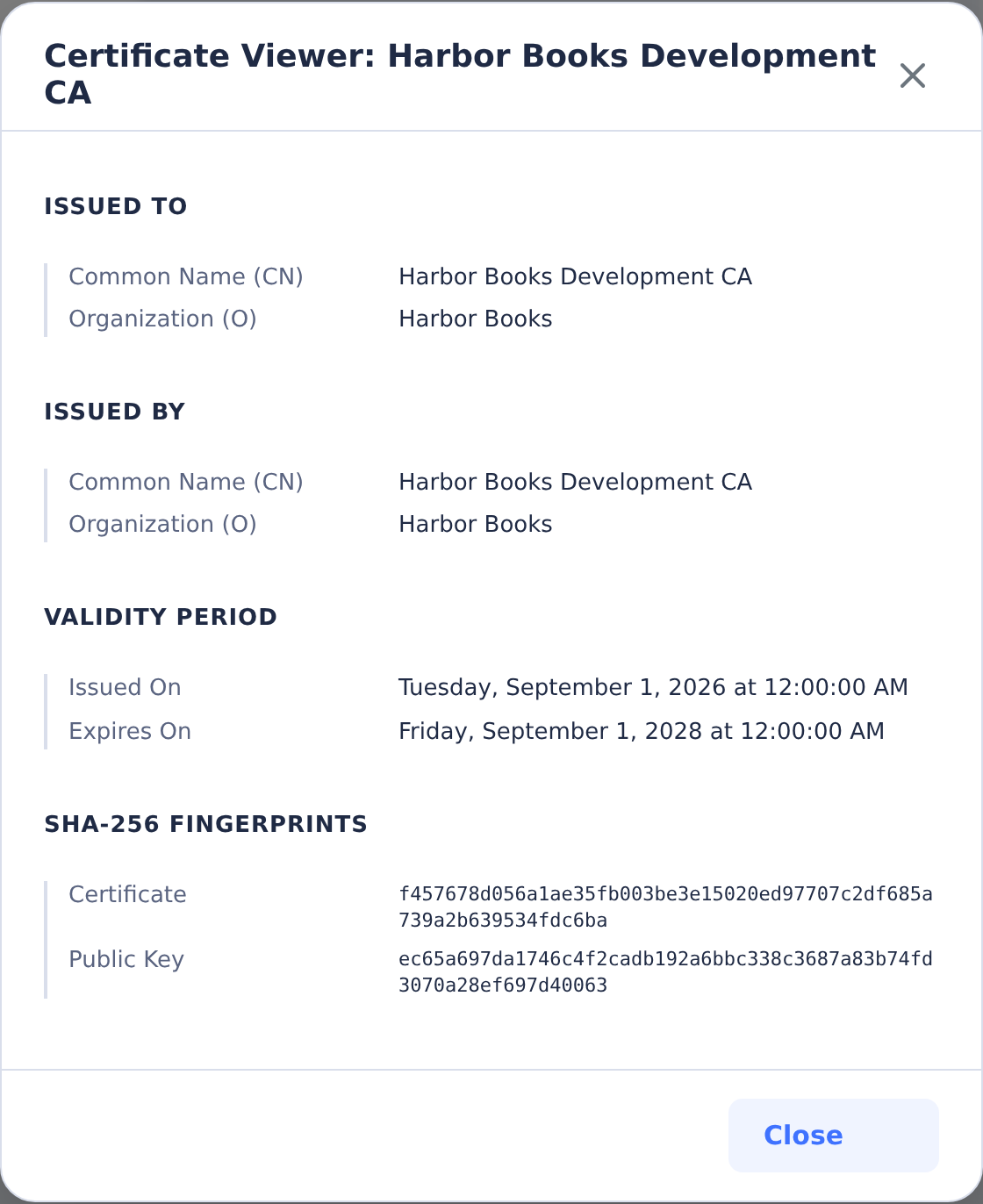
Click View on any certificate to see:
- Subject (Issued To)
- Issuer (Issued By)
- Validity period
- SHA-256 fingerprints
Expired certificates are flagged with a warning.
RAS and Self-Hosted Server Trust
For IBM i SQL connections, you can add the private CA that issued the RAS certificate, or the RAS self-signed certificate itself, using the steps above. Obtain it from your IBM i administrator and verify its identity before adding it. Trusting a certificate does not remove the requirement for it to match the connection's hostname.
Saved certificates are used by CoderFlow's RAS readiness and SQL connection tests. They are also installed in new task containers, including a PEM bundle for Node.js, without rebuilding the base image. Recheck the connection after adding a certificate. Existing containers can retain their previous certificate configuration; use a new task container when checking the updated trust settings.
The CA Certificates setting does not install certificates into the CoderFlow host operating system's trust store. For a self-hosted Node.js process that relies on OS trust, the server administrator can install the CA in the trust store visible to that process, add --use-system-ca to its existing NODE_OPTIONS, and restart the service. For example, when there are no other Node options, the service environment would contain NODE_OPTIONS=--use-system-ca. A containerized server has its own trust store. See Node.js certificate options.
This explains Node.js's suggestion to “try running Node.js with --use-system-ca”: it is a server-administrator action after installing the CA, not an IBM i command or a reason to reinstall RAS. Prefer the CA Certificates setting for CoderFlow's RAS checks; application-specific trust settings can override Node.js's default trust store.
Removing Certificates
Click the delete button next to any certificate. Removal applies to subsequent server-side RAS checks and new task containers. Existing containers can retain their installed certificates; use a new task container to verify that the removed certificate is no longer trusted.